An iPhone app for the Xiaomi Smart Band 10, no account needed
Freeband reads your band without Mi Fitness or a Xiaomi account and works out your scores on the phone. Your data stays on your phone.
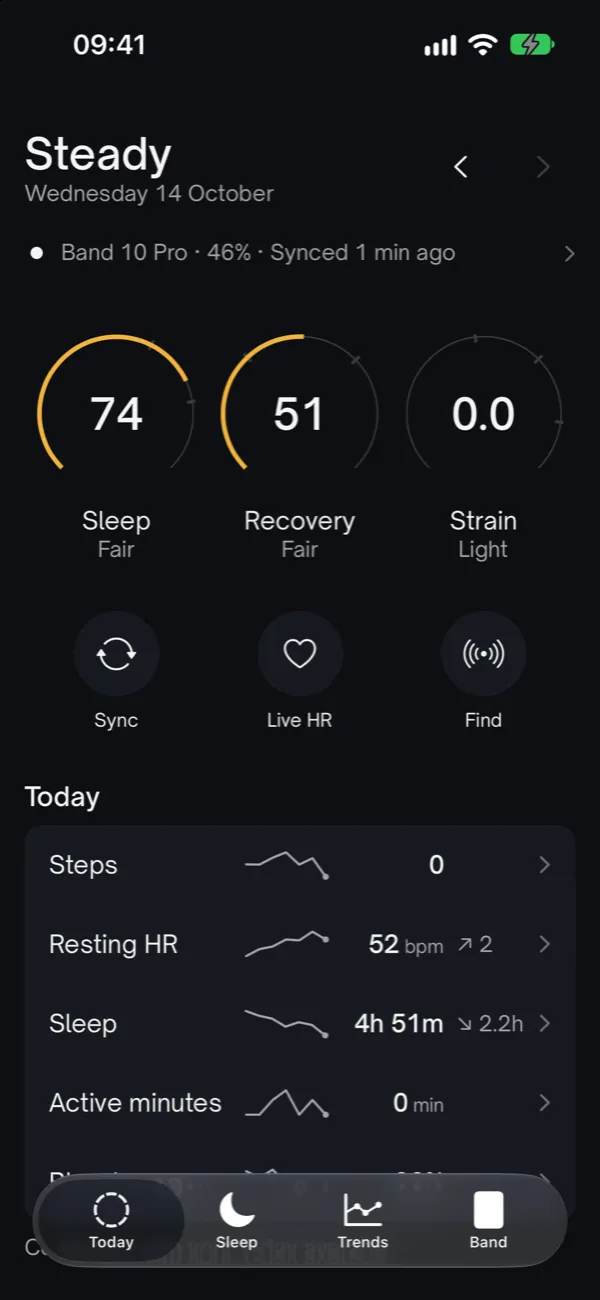 Today
Today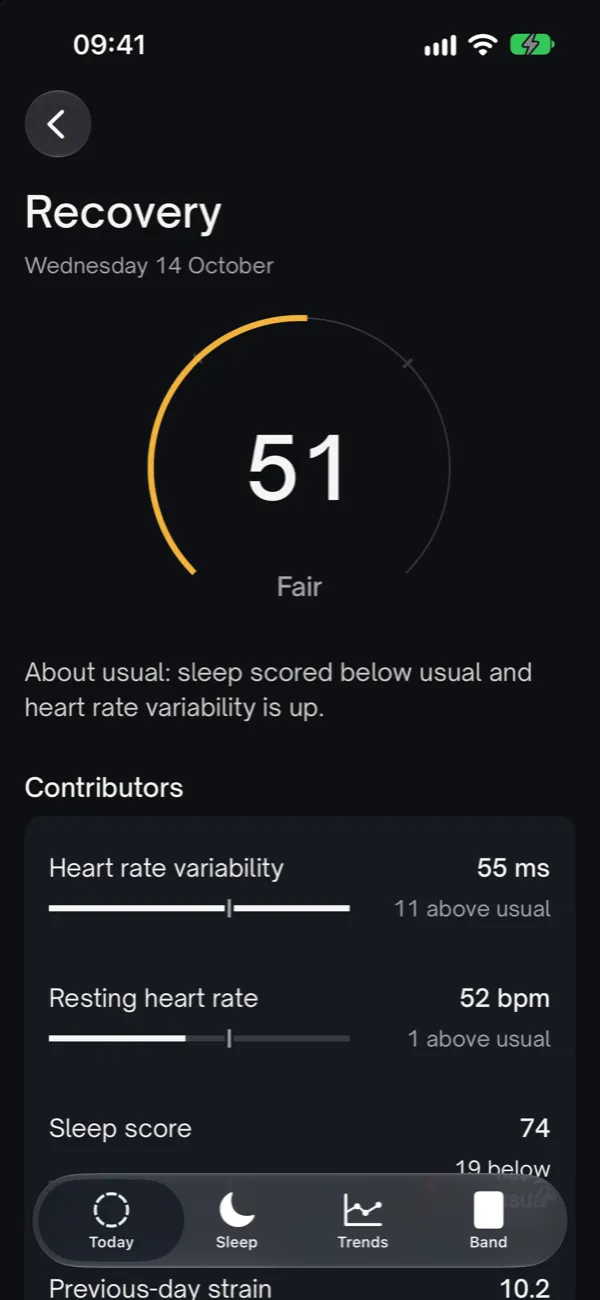 Recovery
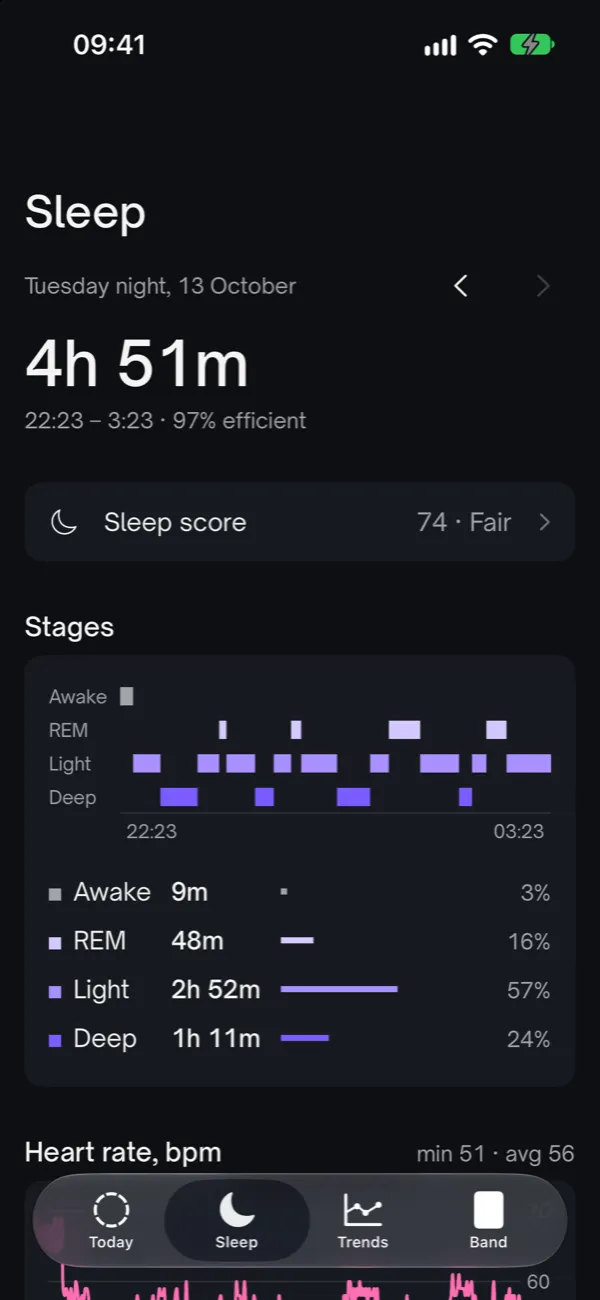 Sleep
Sleep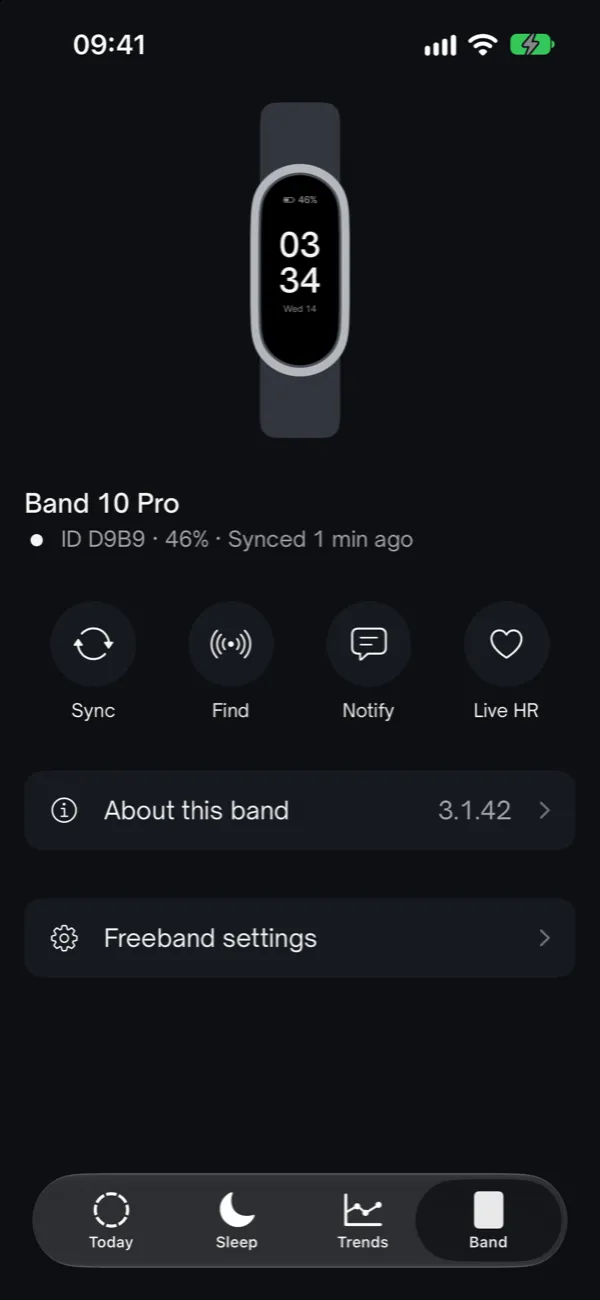 Band
Band
No Mi Fitness, no account
Freeband talks to the band directly over Bluetooth. There's no account to create; your steps, heart rate, sleep and scores stay on your phone.
The key stays on your phone
Freeband reads the band's key once from Mi Fitness's folder on the phone and keeps it in the Keychain. It's never sent anywhere.
Your history stays on the band
Freeband never acknowledges the band's files (no ACK), so the band doesn't delete your history.
Mi Fitness once, at setup
A brand-new band still needs Mi Fitness for pairing, because the key is created on Xiaomi's server.
Your own scores, worked out in the open
Scores are calculated on the phone from the band's raw data. Each one shows why it has that value, through its contributors, and how far to trust it, through a confidence level.
Sleep
0–100Duration, efficiency, deep sleep, REM, restfulness, regularity and the overnight heart rate dip.
Recovery
0–100Heart rate variability, resting heart rate, sleep and yesterday's strain, against your own last 14 days.
Strain
0–21Minutes in heart rate zones based on your heart rate reserve. Not good or bad, just how much.
Confidence
High, medium, low or none, always with a reason, such as “no RR data” or “5 of 14 nights in the baseline”.
Optional web access
This site is the Freeband hub. If you turn on Web access in the app, your phone sends your data here too. If you don't, nothing comes here.
Web panel
See your day in the browser. Tap Open web panel in the app and the browser takes you straight to it.
REST API
Reach your data with your personal key. Endpoints and examples are in the API docs.
Webhooks
After every sync, your data also goes to your own server in a signed request.
Export
Download everything stored here as CSV or JSON.
To sign in from another computer, copy the key from the app and paste it on the sign-in page. The privacy page explains what is stored.
Status
Public beta on TestFlight soon, once Apple has reviewed the first build
Freeband isn't on the App Store yet. The source code is on GitHub, How we did it tells how the band was worked out, and Try it yourself shows how to set it up with your own band.